
OFFICE SMART SCHEDULING TABLET
Turning Meeting Rooms Into Smarter Workspaces
 Smart Scheduling Tablet.webp)
Meeting Room Sharing Dynamics
Meeting rooms are often shared by different divisions, teams, and employees throughout the day. Without a structured scheduling system, room availability can become difficult to track, schedules can overlap, and important meeting information may be scattered across different channels.
Dedicated Room Interaction Point
The Smart Scheduling Tablet creates a dedicated point of interaction for each meeting room, helping employees identify room availability and organize meetings in a more structured way.
Activity-Driven Booking Context
Instead of treating the room simply as an available space, each booking can carry the information needed to support the activity taking place inside it.
A More Organized Meeting Experience
A structured way to associate meeting details directly with room reservations.
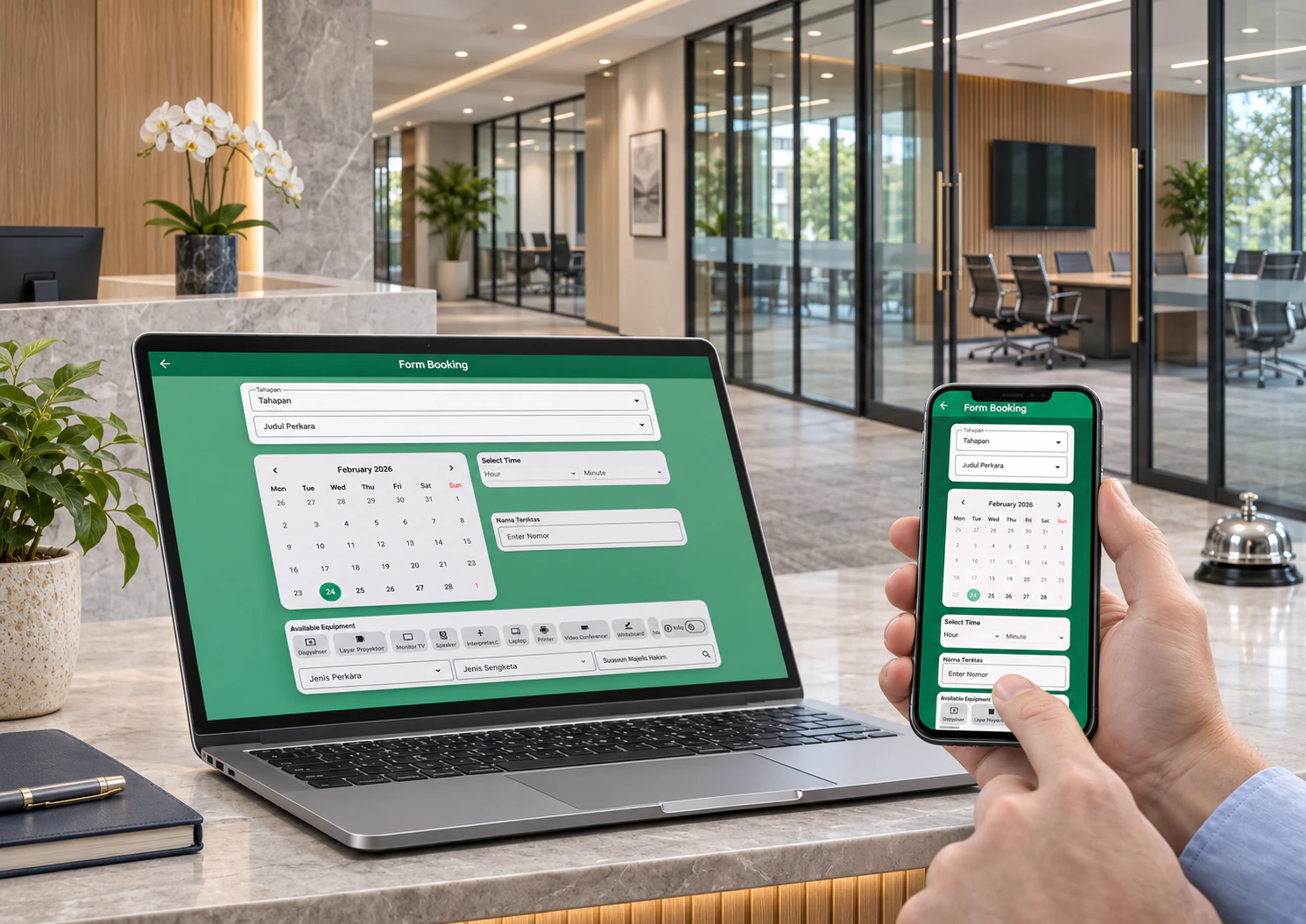
A meeting can involve multiple divisions, participants, equipment, and specific requirements.
The scheduling system provides a structured way to associate these details directly with the room reservation. This creates better visibility for both users and facility operators, while making it easier to understand what each room is being used for and who is responsible for the activity.
The system can also become part of the room's access workflow.
When connected to an access control system, authorized employees can use their NFC credentials or facial recognition to access designated areas according to the configured access policy.
CHOOSE THE RIGHT SYSTEM
Standalone System or Access Management System
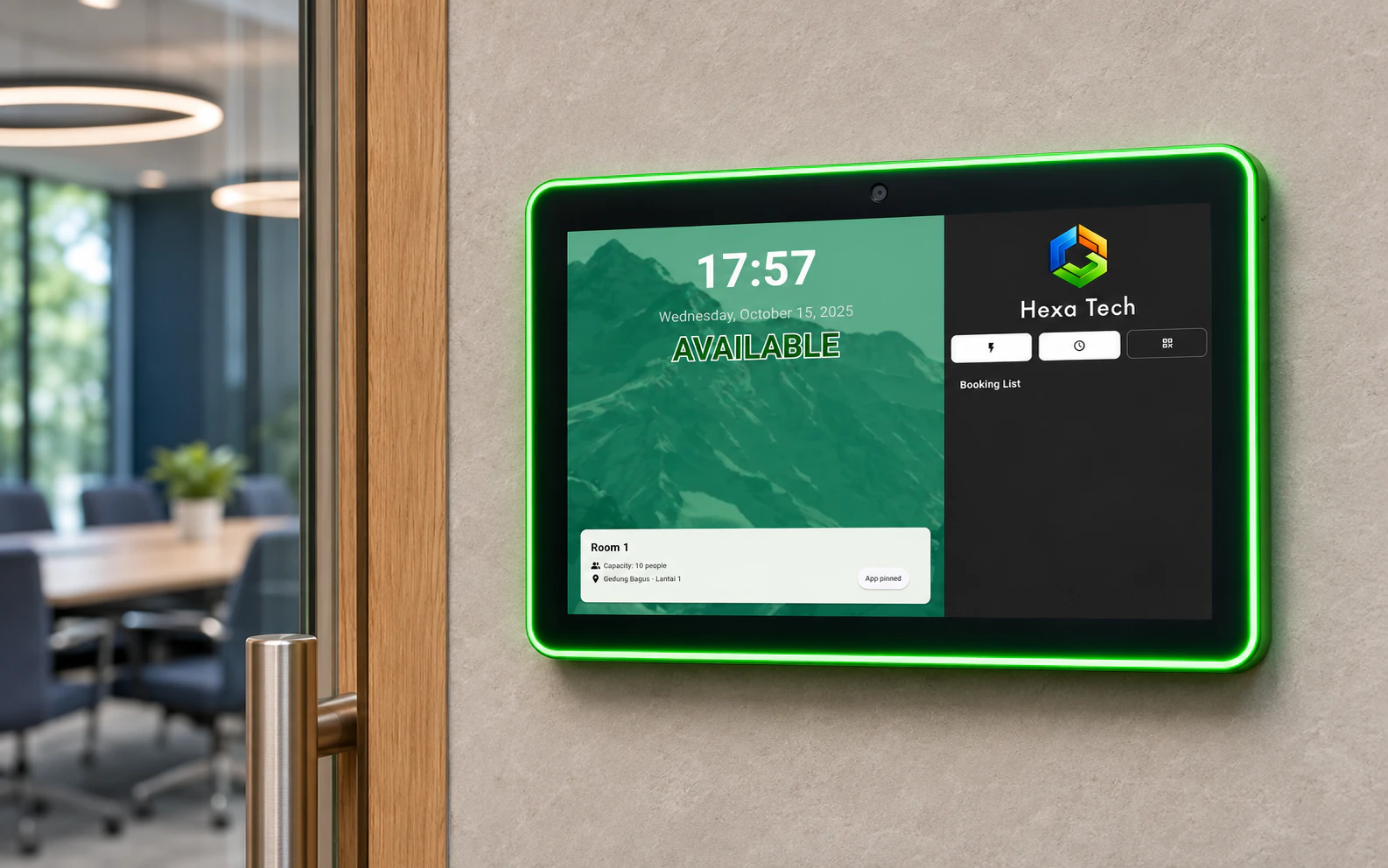
01 — Standalone System
The Standalone System is designed for offices that want to introduce smart meeting room management without the complexity of a centralized platform.
- Everything is operated locally from the tablet installed at the meeting room. This makes the system straightforward to deploy and suitable when the number of rooms and users is relatively limited.
- It is a practical starting point for organizations that want to move away from manual room management while keeping the operational structure simple.
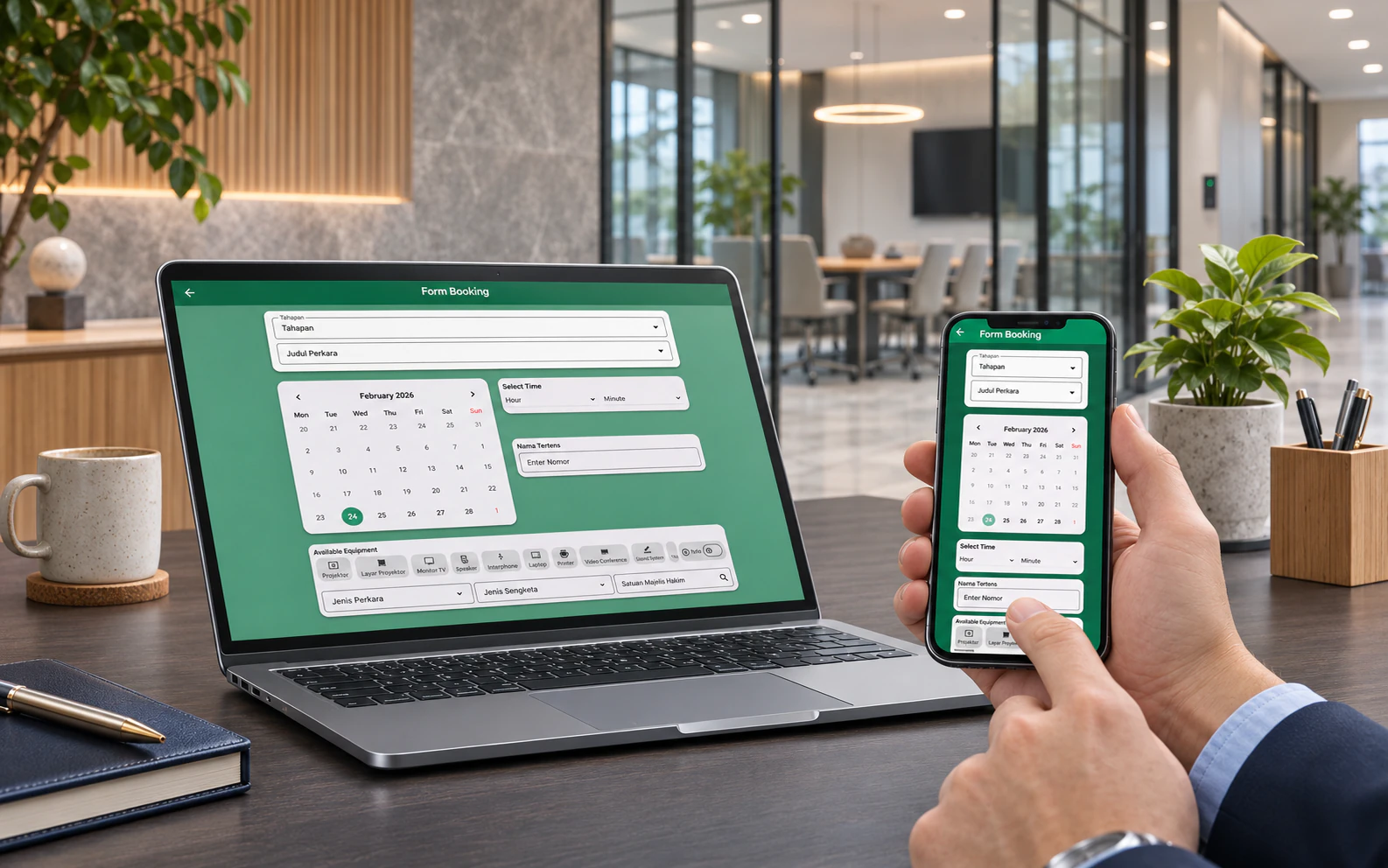
02 — Access Management System
When an organization manages multiple meeting rooms or requires more centralized control, the Access Management System provides the next level of capability.
- The cloud-based platform allows administrators and operators to oversee meeting room activities from a PC without having to visit each room individually.
- Employees can also interact with the scheduling ecosystem through a mobile application, reducing dependence on manual registration at the physical tablet.
- This creates a connected workflow between employees, meeting rooms, administrators, and access control, making the solution more suitable for larger and more dynamic office environments.
WHICH ONE IS RIGHT FOR YOUR OFFICE?
Choose Standalone if you need a simple, independent solution for a limited number of rooms.
Choose Access Management System if you manage multiple rooms, require centralized administration, or want employees to access booking services digitally.
Explore Other Facility Environments
See how Tablet & Cloud adapts to other kinds of facilities.
 Smart Scheduling Tablet.webp)
 Smart Scheduling Tablet.webp)