
Corporate Office
Ecosystem Summary for Workplace & Meeting Facilities
OFFICE SMART SCHEDULING TABLET
Smarter Meeting Room Scheduling
A dedicated scheduling solution designed to help employees and teams manage meeting rooms, schedules, participants, and meeting requirements more efficiently.
The Smart Scheduling Tablet allows users to select an available meeting room, set the date and duration, identify the person responsible for the meeting, define the number of participants, and add additional information related to the meeting.
It can also be integrated with NFC access cards and facial recognition, connecting meeting room scheduling with controlled access to the designated space.
 Smart Scheduling Tablet.webp)
MEETING ROOM STATUS
The Smart Scheduling Tablet provides a clear visual indication of the current meeting room status, helping employees and visitors quickly understand whether a room is available or occupied. Green for available, yellow for upcoming, and red for in use.
AVAILABLE
The meeting room is currently available for a meeting or activity.
UPCOMING
A meeting or activity is scheduled to begin soon.
IN USE
A meeting or activity is currently taking place in the room.
The status is displayed through the tablet's LED indicator, providing an immediate visual reference even from a distance.
OFFICE SERIES
01 — Standalone System
A self-contained solution for offices that need a simple and practical way to manage meeting rooms directly from the tablet. Scheduling, configuration, and daily operation are handled on the device itself, without requiring a PC or mobile application.
02 — Access Management System
An upgraded, cloud-connected solution for offices that require centralized management. Administrators and operators can manage meeting room activities remotely through a PC, while employees can access booking services through a mobile application.
BIDS FOR OFFICE
A Smarter Way to Navigate the Workplace
BIDS provides a centralized digital display for employees, guests, and visitors to quickly find meeting rooms, ongoing activities, and upcoming schedules throughout the office.
Connected with Smart Scheduling Tablets installed in each meeting room, the display automatically reflects the latest room status and schedule in real time.
Beyond workplace navigation, BIDS can be used to display company announcements, promotional content, images, videos, or live-streamed activities, turning the information board into a dynamic corporate communication platform.
It creates a workplace experience that is more organized, informative, and professionally presented.
 BIDS for Office.webp)
MEETING ROOM STATUS CATEGORIES
Meeting rooms are visually categorized as: GREEN (Available), YELLOW (Upcoming meeting), RED (Meeting in progress), and GREY (Meeting completed). The display also presents company logo, office name, address, current date and time.
AVAILABLE
Meeting room is currently vacant and ready for immediate booking.
UPCOMING
A meeting or activity is scheduled to start within the next few minutes.
IN USE
Meeting is currently in progress inside the designated room.
COMPLETED
The scheduled session has concluded and the room is awaiting next agenda.
A-MEET PLAYTRACK
Smart 4K Camera System for Modern Offices
A professional 4K camera system designed to document meetings, corporate activities, and important moments across your workplace. PlayTrack combines high-resolution recording, live streaming, mobile access, and easy operation in one integrated system — helping organizations create a more modern, connected, and efficient workplace.
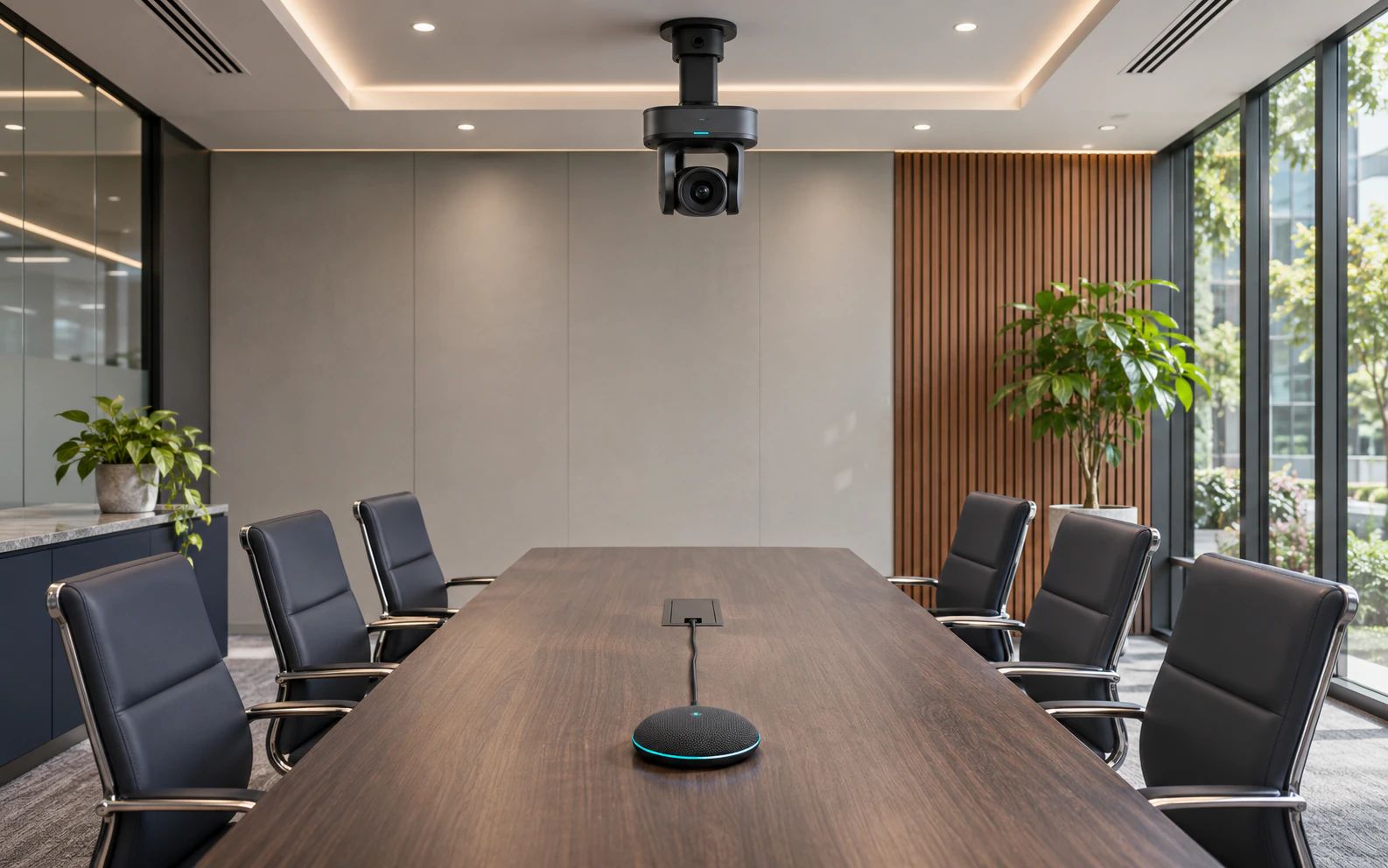
PROFESSIONAL 4K RECORDING
Capture meetings, general assemblies, open meetings, presentations, seminars, corporate events, and other important activities in crisp 4K at 30 FPS.
COMPLETE ROOM COVERAGE
The system provides comprehensive coverage of the room while allowing the camera to focus on key subjects when needed, ensuring discussions remain clearly documented.
MOBILE ON-DEMAND REVIEW
Recorded sessions can be accessed directly from a mobile device. Employees and authorized users can review the complete recording with ease.
SELECTIVE CLIPS & DOWNLOADS
Access selected clips based on specific sessions or marked moments. Important recordings can be downloaded directly to a smartphone for effortless archiving and sharing.
LIVESTREAM YOUR EVENTS
Bring important activities beyond the physical workplace. Stream selected meetings, public town halls, and presentations directly to YouTube and Instagram.
EFFORTLESS OPERATION
Broadcast seamlessly without complicated configurations, specialized control hardware, or requiring a dedicated streaming operator.
DESIGNED FOR THE WORKPLACE
- 4K / 30 FPS professional video quality
- Comprehensive room coverage with no blind spots
- Action-focused zoom for key subjects
- High-quality audio capture
- Night vision for low-light environments
- Full recording and selected session clips
- Direct mobile playback and download
- YouTube & Instagram livestreaming
- Simple and practical operation
- Minimalist design for professional environments