
COURTHOUSE INFORMATION DISPLAY
Making Courtroom Information Easier to Find
 BIDS For Courthouse.webp)
Multi-Proceeding Facility Demands
A courthouse may contain multiple courtrooms with proceedings taking place throughout the day. For visitors and other stakeholders, finding the correct courtroom can be challenging, particularly when several proceedings are scheduled around the same time.
Public Guidance & Daily Docket
CIDS provides a centralized digital information point that helps people understand the day's courtroom activities and locate the appropriate destination more easily.
First-Contact Strategic Placement
Strategically positioned in reception areas, entrances, waiting areas, or other public-facing locations, the display can become the first point of reference before visitors proceed to their designated courtroom.
Supporting a Modern & Transparent Court Facility
Real-time courtroom scheduling, public direction, institutional announcements, and broadcast connectivity.
 BIDS For Courthouse {Detail}.webp)
Connected With the Courtroom Schedule
Direct synchronization with individual courtroom tablets.
Each courtroom can have its own Smart Scheduling Tablet, allowing relevant scheduling information to flow into the central CIDS display. When the status of a proceeding changes, the information can be reflected automatically, reducing reliance on manually updated boards or printed schedules. This provides a more consistent information flow between individual courtrooms and the public-facing information display.
Clear Information, Less Confusion
Instant visual understanding of courtroom statuses.
The visual status system provides an easy way to understand the condition of each courtroom at a glance. Visitors can distinguish between proceedings that have finished, activities currently taking place, and proceedings that are approaching — helping them better understand where they need to go and when. The information presented can be configured to suit the operational requirements of the court facility, allowing the display to become part of a broader digital information infrastructure.
Beyond Courtroom Scheduling
Digital communication and live broadcasting channel.
CIDS can also serve as a digital communication channel for the institution. During periods when courtroom schedules do not occupy the entire display, the screen can communicate public information, institutional announcements, service information, educational content, or other approved visual materials. For selected events or activities where live broadcasting is appropriate, the display can also be configured to show live-streamed content.
Supporting a Modern Court Facility
A cohesive digital ecosystem for public transparency.
A clear and professionally presented information system contributes to a more organized public-facing environment. By combining courtroom information, real-time scheduling, digital communication, and visual content in one platform, CIDS helps court facilities move toward a more modern and connected information ecosystem.
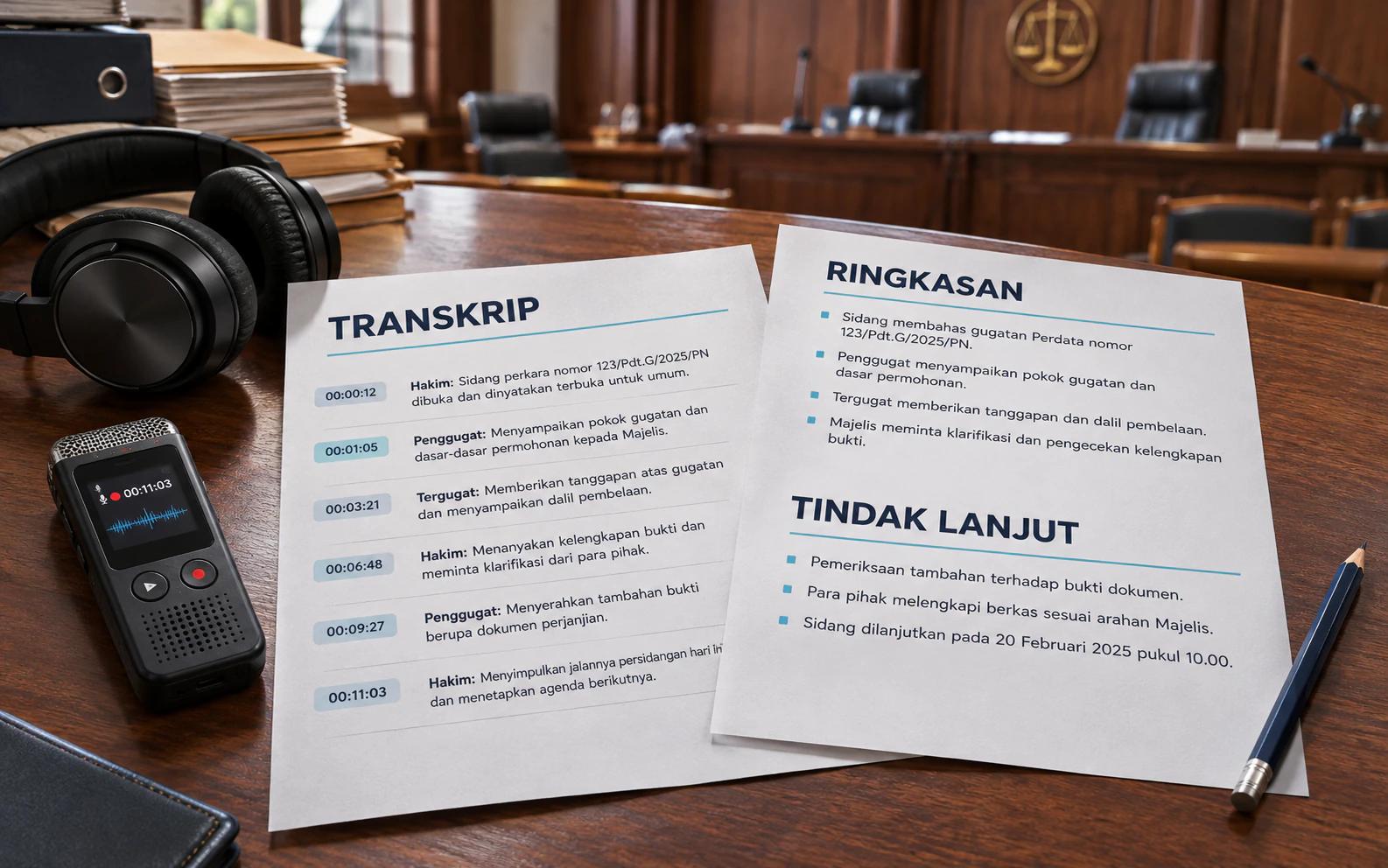
Turn every recording into a clearer understanding.
Go beyond replay. Transform recorded conversations into a readable transcript, key discussion points, and a structured summary, so your team can review what matters without watching the entire session again.
- 01
Follow the conversation
Review a timestamped transcript. With speaker separation configured, speech can be grouped by voice within each camera–microphone pair.
- 02
Find the key points
Bring together the main topics, agreements, conclusions, and follow-up points in one structured overview.
- 03
Share a readable report
Download a Word report for review and documentation, with the recording available to check the original context.
Explore Other Facility Environments
See how CIDS adapts to other kinds of facilities.
 BIDS for Office.webp)
 BIDS for Sport.webp)